

Các bước cài đặt ansible server trên centos 7.
Đầu tiên ta tạo 2 host : server vs client (server chứa các lệnh thực thi client)
Server: 10.10.100.100
Client 10.10.100.200
[maxbutton id=”2″ text=”Step 1 – Cài đặt ansible” ]
Bước này ta triển khai lệnh trên cả 2 máy Server và Client
yum install epel-release
yum install ansible
[maxbutton id=”2″ text=”Step 2 – Cấu hình máy chủ ansible” ]
Cấu hình file hosts trong đường dẫn /etc/ansible/hosts trong máy Server
vi /etc/ansible/hosts
[ten group]
tenhost ansible_ssh_host=your_server_ip
[maxbutton id=”2″ text=”Step 3 – Add ssh .pub của Server vào Client” ]
Triển khai trên máy Server
ssh-keygen -t rsa
ssh-copy-id -i id_rsa.pub username@remote_host
từ server add public key tới các client
từ server add public key vào chính nó
[maxbutton id=”2″ text=”Step 4 – Test kết nối SSH từ Server tới client” ]
Lệnh thực hiện trên máy Server
ansible -m ping all
ansible -m ping ten-host-client
[maxbutton id=”2″ text=”Step 5 – Check bộ nhớ host client” ]
Thực hiện trên máy Server
ansible -m shell -a 'free -m' tên-host-client-trong-config
[maxbutton id=”1″ text=”Config file host trên ansible server” ]
Với config file host trong ansible thì nó hỗ trợ 2 định dạng ini hoặc yml
– Cách viết theo ini
//Group nhỏ chứa các host
[tengroup1]
tenhost1 ansible_host=IP1 ansible_user=tenuserSSH ansible_password="Password"

//Group nhỏ chứa các host
[tengroup2]
tenhost2 ansible_host=IP2 ansible_user=tenuserSSH ansible_password="Password"

//Group cha chứa các group nhỏ
[server:children]
tengroup1
tengroup2
– Cách viết dạng YML
all:
children:
TenGroupNho:
hosts:
IP1
ansible_user: tenuserSSH
anible_password: passwordSSH

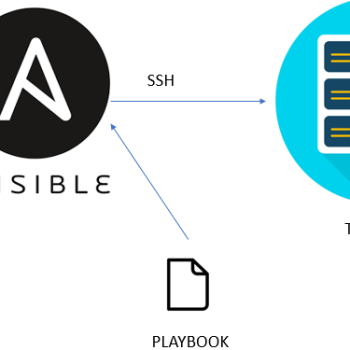

[…] Xem hướng dẫn cài đặt : Hướng dẫn cài đặt ansile Server Client […]